Silim Murlun
— Graph-Paper Layout Editor
A print-first page layout editor where everything sits in real
millimeters on graph paper — and text flows across pages.
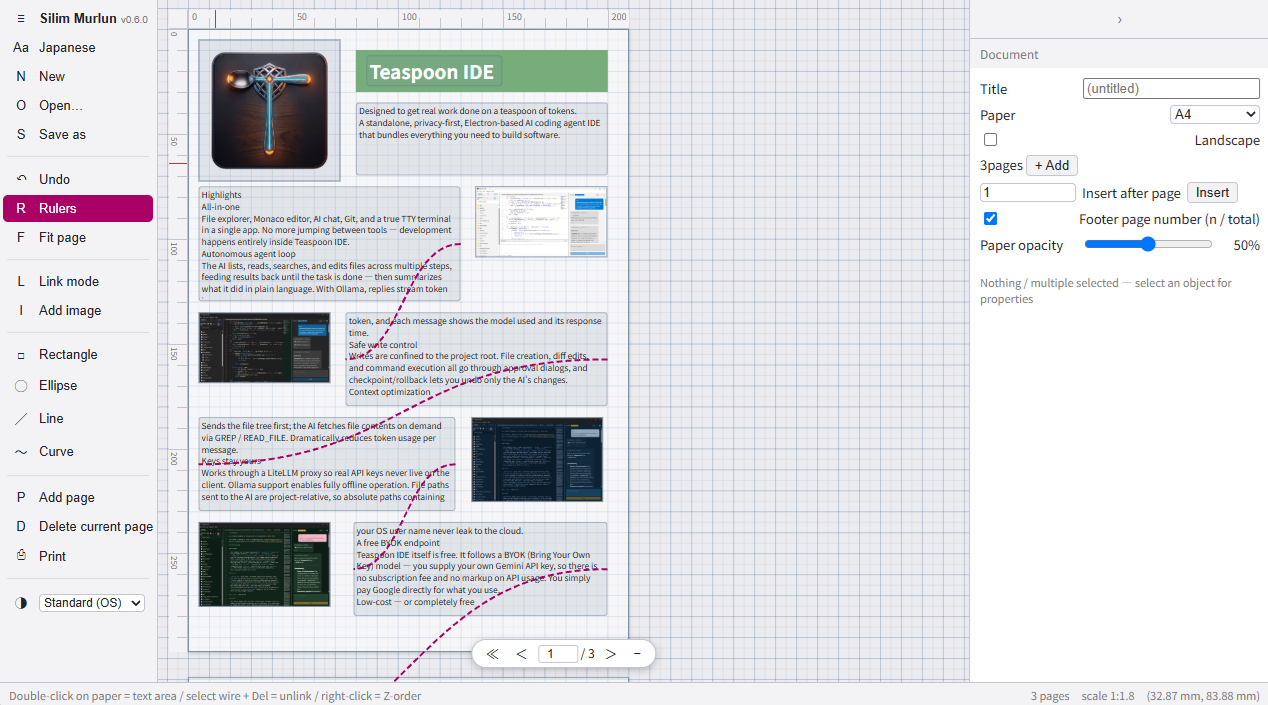
It should have existed. It didn't.
You can almost fake "real-size layout on graph paper" in a slide tool — until you actually try. Slides can't continue across a page boundary, and every reflow nudges your shapes and rules out of place. There, position is a visual outcome, not data.
Text that crosses pages used to be a staple of desktop publishing — overflow spilling into linked text frames. But the tools that have it are either locked to one OS and discontinued, or heavyweight professional DTP suites: the opposite of dropping parts onto graph paper like a notebook.
Nothing offered the trio — graph paper, real millimeters, and cross-page text flow — with a light touch. That gap is where Silim Murlun lives.
Nothing drifts. What you place, stays.
The placement engine is Kimetron Isle's world-coordinate model, used as-is. Object position and size live in real-unit world coordinates, not screen pixels — zoom is a drawing scale, not a magnification. There is no auto-layout layer that could re-run and move things on you.
- Millimeters are first-class Graph paper with 5 mm minor and 10 mm major lines; placement snaps to the grid and Alt releases it temporarily. A ruler along the active page frame reads in mm
- "It stays where you put it" is a structural consequence With no layout engine overwriting positions, there is nothing that can drift. Print output is 100% true size
Pages line up vertically on the canvas.
Page frames in Silim Murlun are first-class objects: transparent, border-only print ranges (A4 / A3, portrait or landscape) laid out at even vertical intervals on the graph paper. You add, insert, and remove them per frame — and swapping paper sizes never moves your objects. Whatever ends up hanging off the page simply gets drawn.
Scrolling is page turning — the feel of leafing through a notebook rather than jumping between numbered slide worlds. The frames are non-printing; only the artwork makes it to paper.
Text crosses over a wire.
Text areas sit anywhere you like. Connect any two of them with a relation wire and you've defined a text-flow path: what doesn't fit in A flows into B. Insertions and removals in the middle re-distribute down the chain, and page-crossing links and links that skip over an image work by the same mechanism.
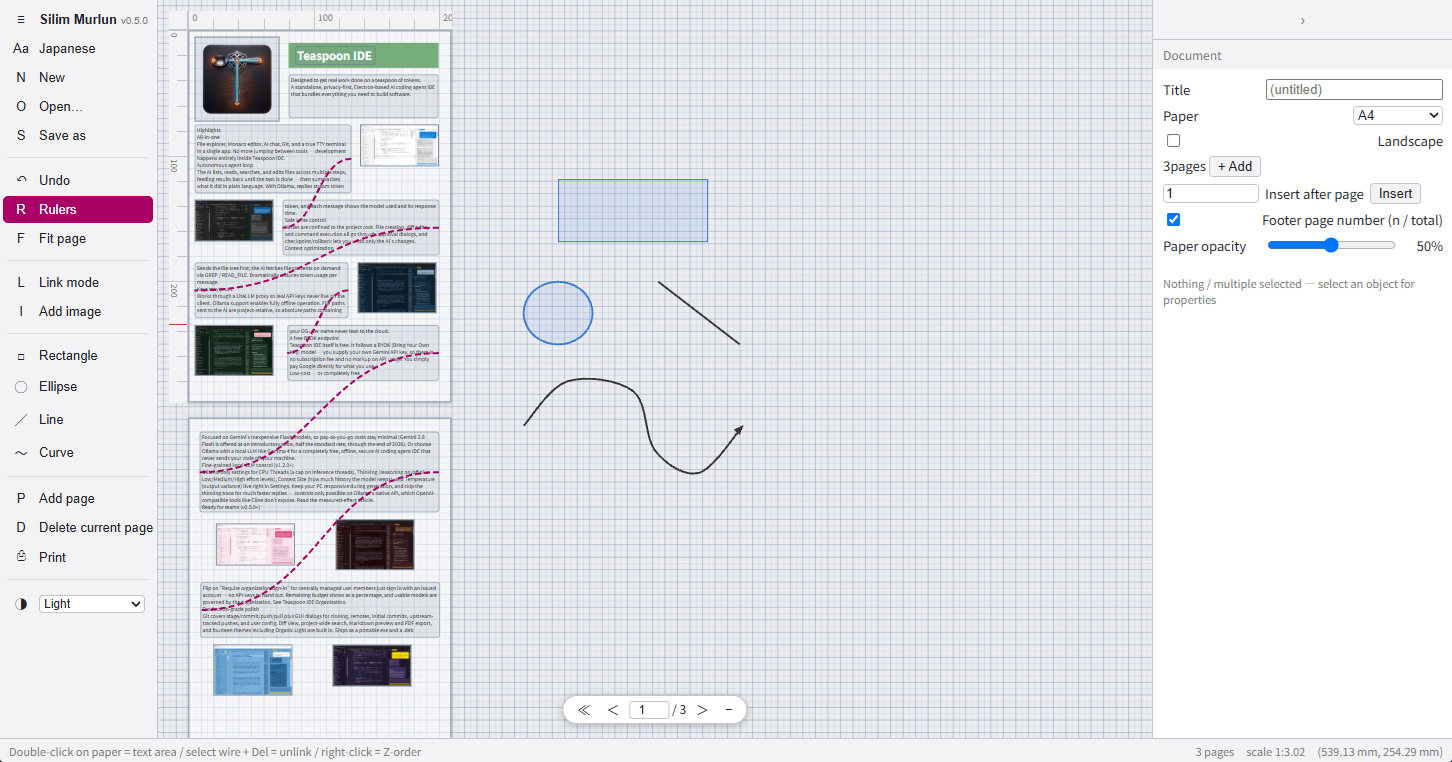
- Editing happens in one place Areas are display-only. Clicking one opens the whole chain's text in the right-hand pane — since you always edit a single text, IME composition and caret glitches are structurally impossible
- Overflow stays visible Text past the last area surfaces as an overflow badge. Invisible characters would be uneditable, so the chain pane always reaches the full text
- Cutting rewinds Select a wire and press Del (or right-click) to cut it: text that had flowed downstream is pulled back into the previous area as overflow
- An honest note Chaining freely-placed frames in any order is a standard feature that DTP tools already have. Silim Murlun's point isn't the freedom of chaining — it's that chaining coexists with graph paper, real units, and a light touch
The tools for making
- Text starts with a double-click No explicit "place a text area" step. Double-click the paper and an area is born there, already in input mode — like touching pen to grid notebook
- Images are imported in millimeters Pick a file → set its placed size in mm (with aspect-ratio lock) → position the true-size ghost with the mouse → click to commit. Deliberately no drag-and-drop import
- Shapes and vertex editing Rectangles, ellipses, lines, and curves. Drag vertex grips to reshape directly; double-click a segment to add a vertex, double-click a grip to delete one. Lines and curves take end caps (arrow, dot) and dash styles (solid, dashed, dotted)
- Text attributes and font templates Bold, italic, underline, and color per area, with bulk editing across a multi-selection. A multi-OS fallback stack ships built in, and missing fonts are flagged with a warning rather than silently substituted
-
Undo/redo and the archive
A unified snapshot history spanning document, chains, pages, and settings. Documents save as
.slm— a zip of doc.json plus image binaries — with embedded title and timestamps - Four themes, bilingual UI Standard (follows the OS), light, dark, and quiet. The Aa button at the top of the menu switches the UI between Japanese and English
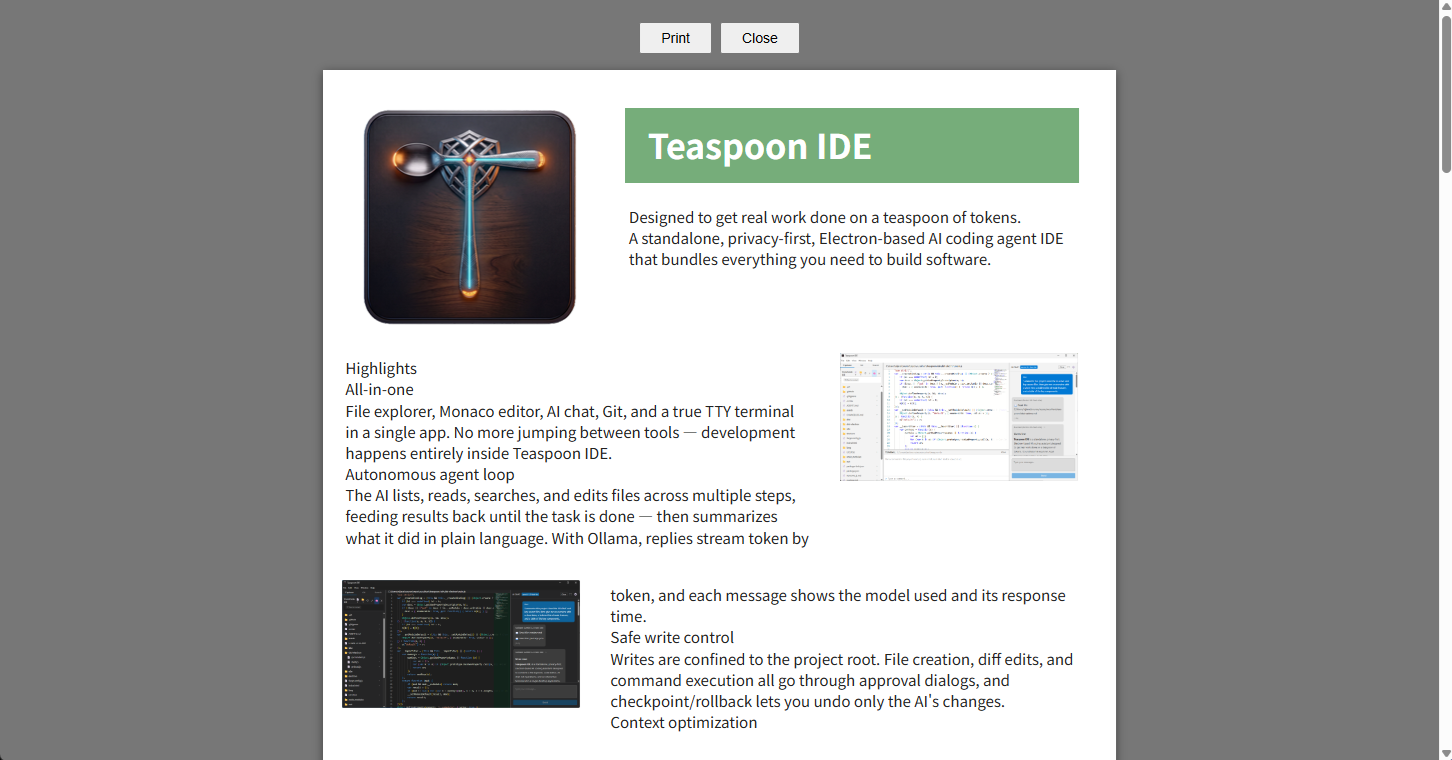
Printing is the browser's job.
There is no custom PDF exporter — the browser's print function does
that work, and in return the true-size output is built seriously:
a separate per-page DOM is assembled for print, @page
is set dynamically to match the paper, and an "n / total" footer
goes on every sheet. Choose PDF as the print destination and
PDF export is done.
The Print command opens an in-app preview overlay and calls the browser's print from there — and the browser's own print menu can preview and print the same output directly.
The name
Silim is Sumerian for well-being — the word every Sumerian and Akkadian letter opened with, the first word of a document addressed to someone. Murlun is Welsh for mural (mur = wall, llun = picture). Together: "the mural that greets" — a wall that welcomes the reader in and speaks.
The internal text-flow layer carries its own name too: INIMBAL — inim = word, bal = to cross over. "Crossing" rather than a one-way "river", so the rewind on a cut wire still fits the word.
An honest status
The essentials are in place, but it is still young. The remaining room, stated plainly:
- A4 / A3 only Both orientations are supported, but no other paper sizes at this time
- No tables or image editing Images are placed at true size and that's it — no cropping, no effects, no ruled tables
-
Nothing is hosted for you
The GitHub Pages demo never sends your files to a server. Saving and sharing happen through local
.slmfiles only -
Local-first
Collaboration and cloud storage are out of scope — data stays on your machine as
.slmfiles
Source code
MIT licensed. Built with TypeScript + React 19 + Vite, as an
app → inimbal → kimetron monorepo with the engine
vendored as a workspace.