A falling-block puzzle built with just 2 prompts
Two inputs: "write the spec" → "implement the spec."
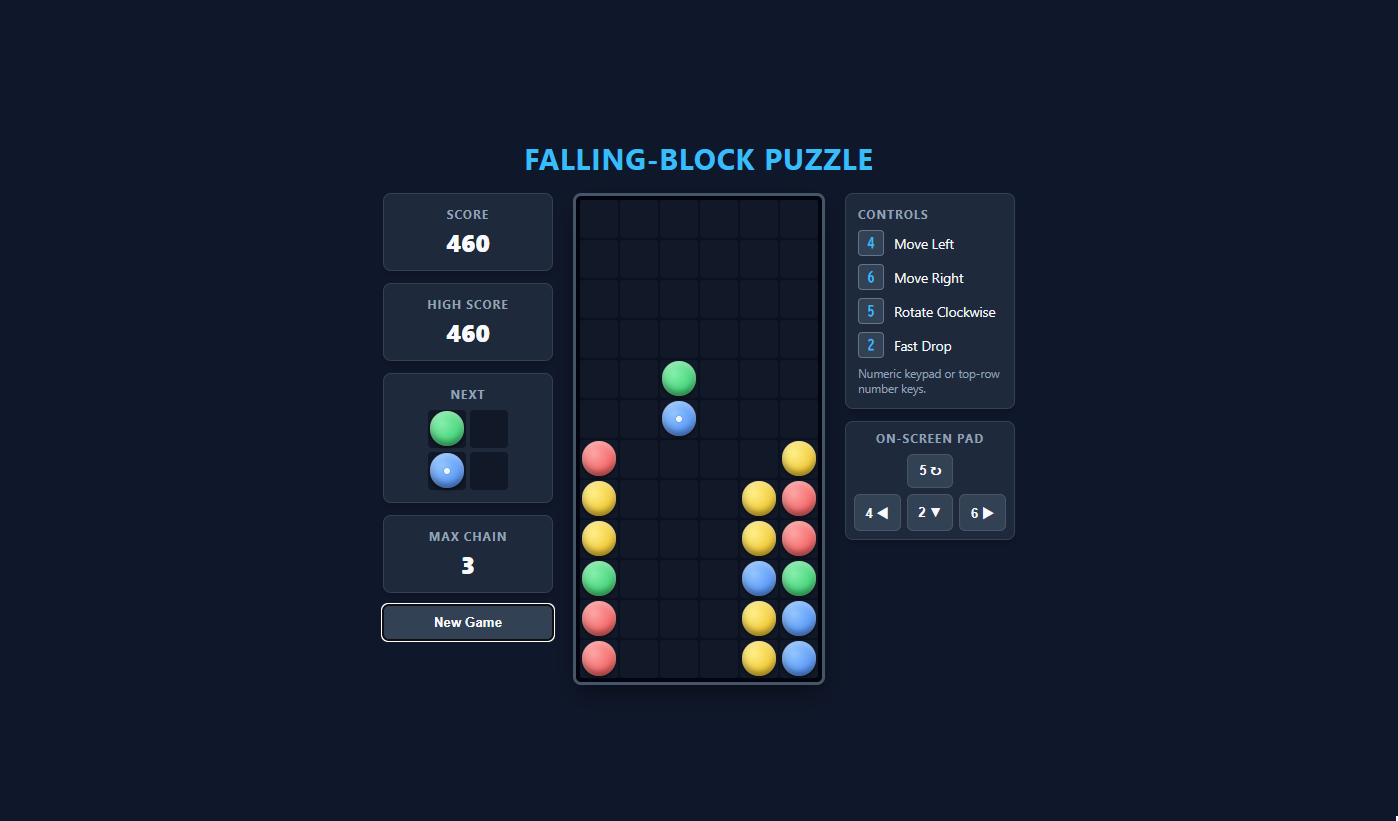
The result: a falling-block puzzle game with chain reactions and game-over detection.
Model used: Gemini 3.8 Flash. The API cost was roughly $0.10 (about ¥14, confirmed in Google AI Studio).
Play the game Back to product page
What we did
- Selected Gemini 3.8 Flash and created an empty folder via "New Project"
- Prompt 1: "First, create only a readme.md summarizing the spec" → the AI generated the spec document
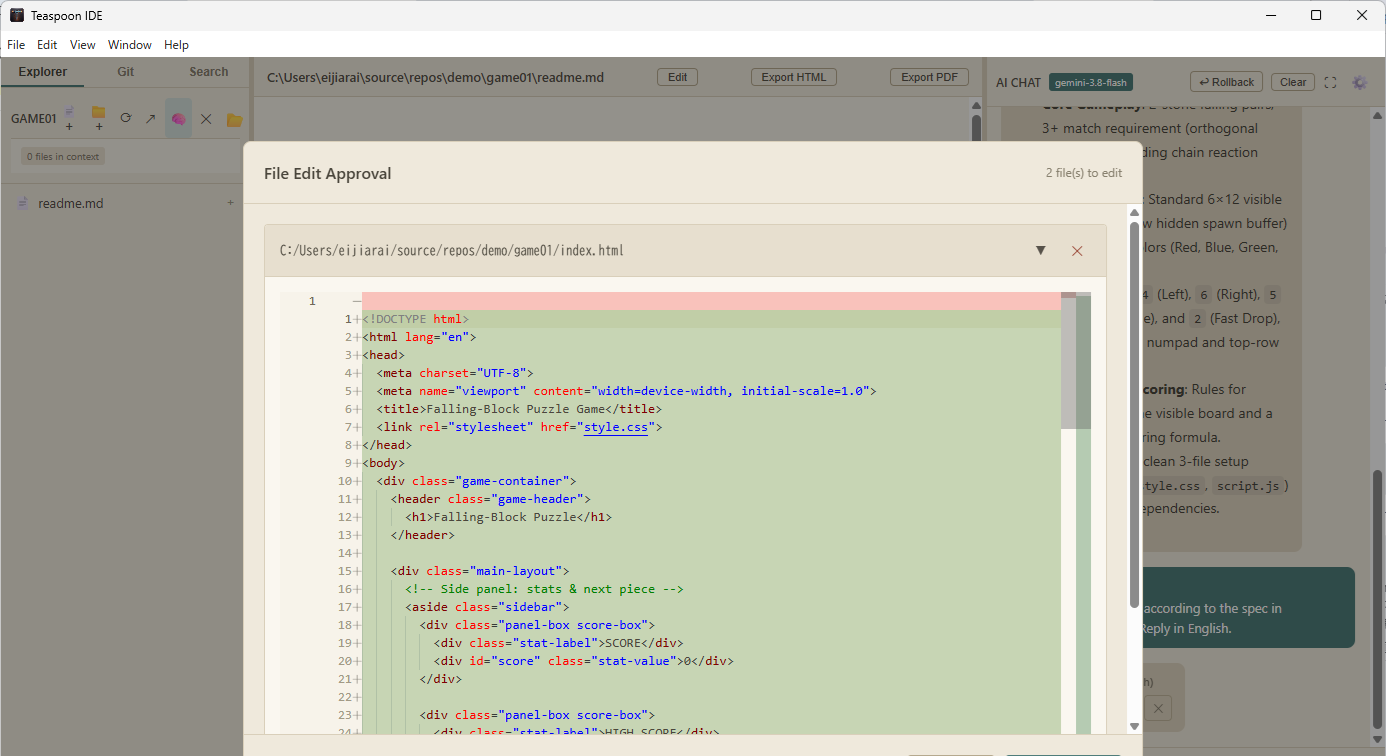
- Prompt 2: "Implement it according to the spec in readme.md" → the AI created
index.html/style.css/script.js(file writes confirmed via the approval dialog) - Ran
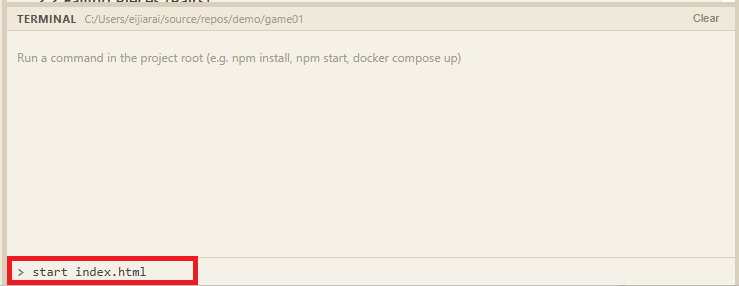
start index.htmlin the built-in terminal → the game ran in the browser
Instead of asking for code right away, we used a two-stage prompt: have the AI generate the spec (readme.md) first, then implement it. The spec becomes a human review point, and the implementation request is just "do it per the spec" — the same flow as real-world work, which makes the result far more reliable.
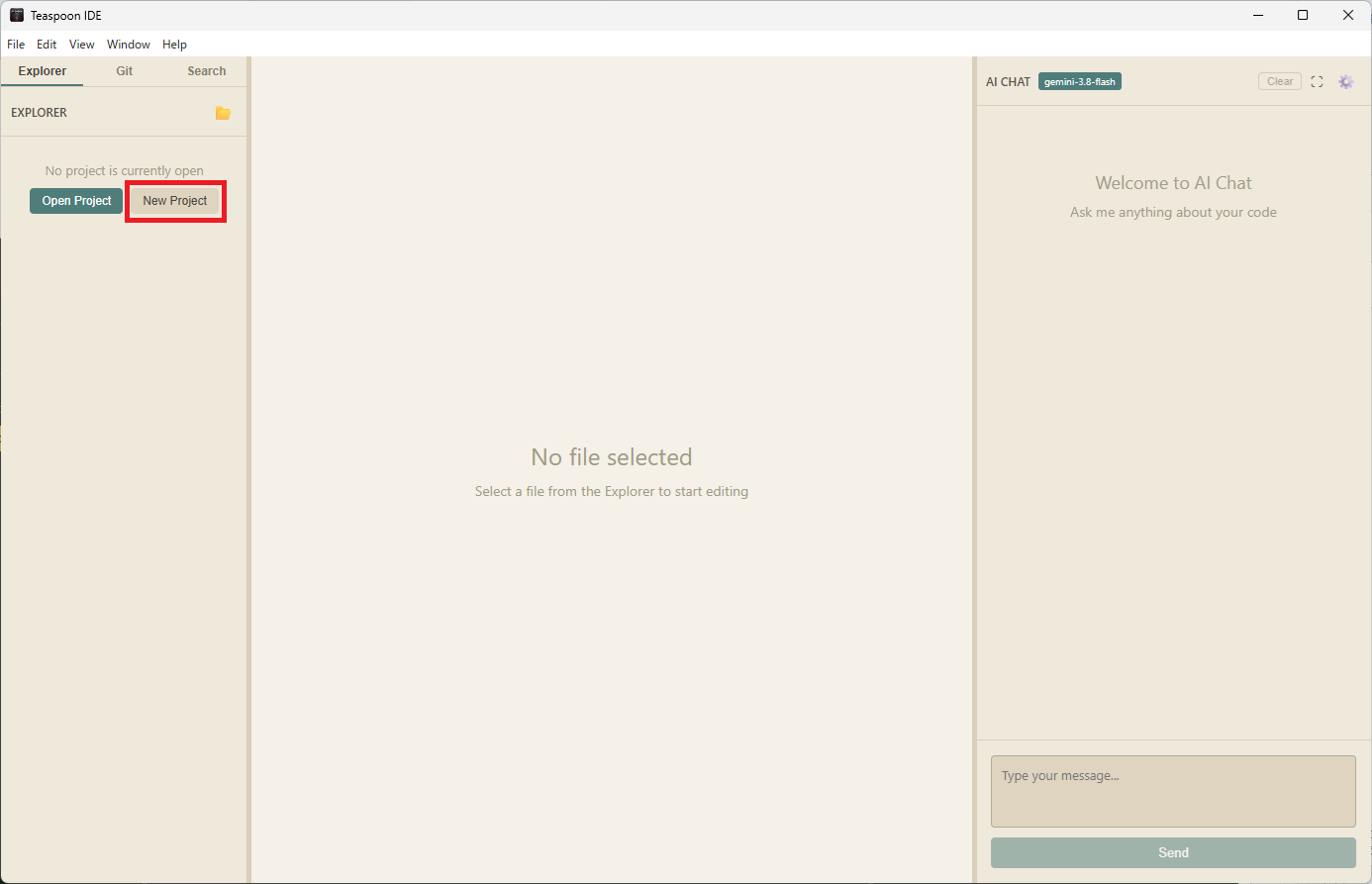
1. Pick a model, create a new project
We confirmed the AI chat model was set to gemini-3.8-flash, then created an empty
folder with "New Project" in the Explorer.
2. Prompt 1 — have it write only the spec
This is what we typed into the chat. The key points: explicitly say "don't implement anything yet — just create readme.md", and leave the undecided details (board size, number of colors) to the AI so they get nailed down in the spec. Also note the last line: in an earlier run without "write everything in English", the replies came back in Japanese — stating the output language explicitly is the reliable fix.
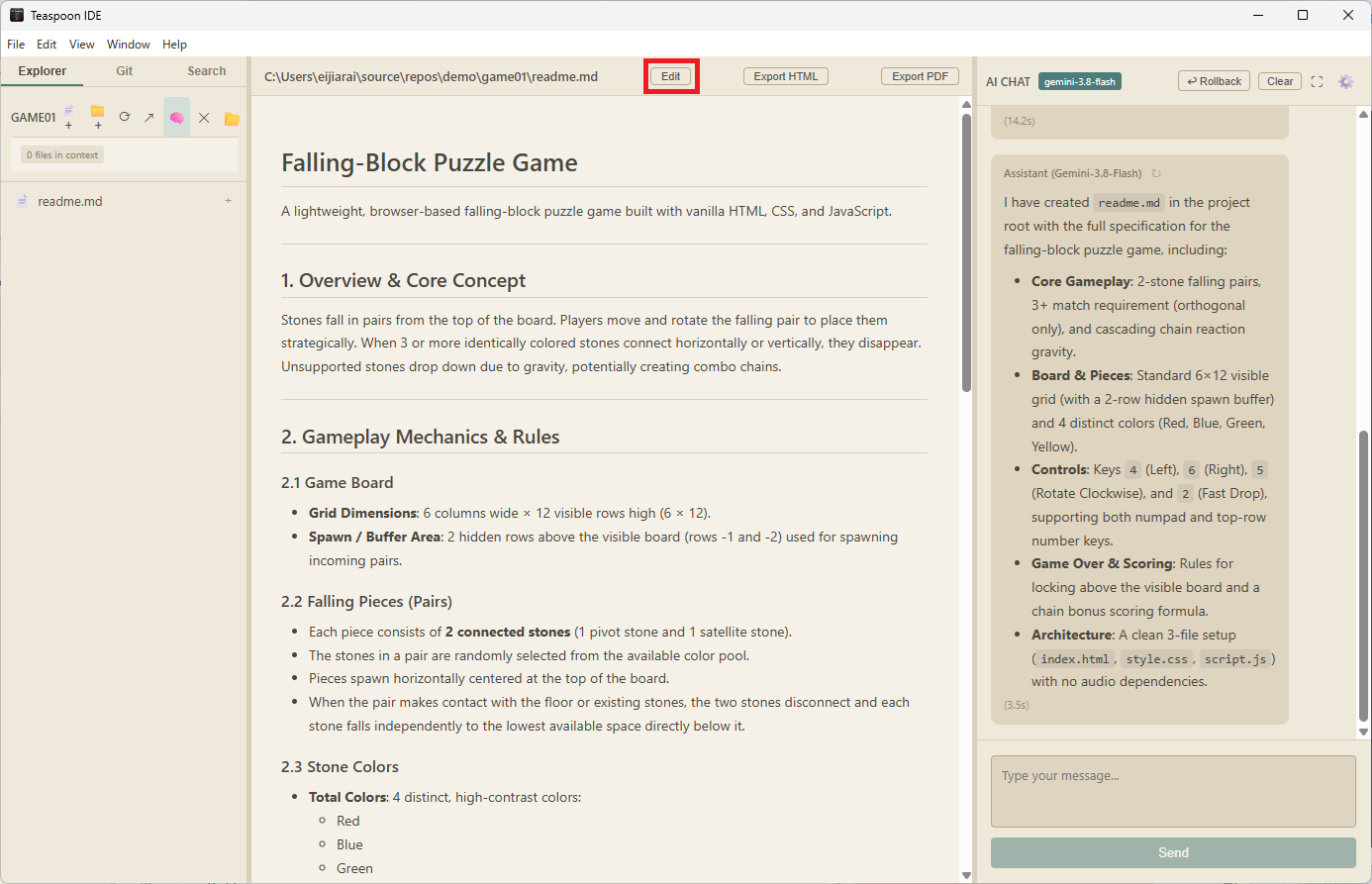
readme.md. Details we didn't decide — board size, color count — were filled in as part of the spec.Give the content a quick review here. If anything looks off, either edit readme.md directly or send a follow-up instruction.
3. Prompt 2 — implement per the spec
Once the spec exists, the implementation request is just this:
The AI reads readme.md and creates the three files per the spec. File writes are previewed in an approval dialog — review the diff, then apply.
4. Launch from the built-in terminal
Open the terminal via "View → Toggle Terminal" and run
start index.html — the game opens in your default browser.
5. The finished game
Move each two-stone pair with 4 and 6, rotate with 5, and fast-drop with 2. Groups of 3 or more matching colors disappear, and the stones above drop to trigger chains. A NEXT preview, score and max-chain counters, an on-screen pad, and a game-over screen with retry were all implemented.
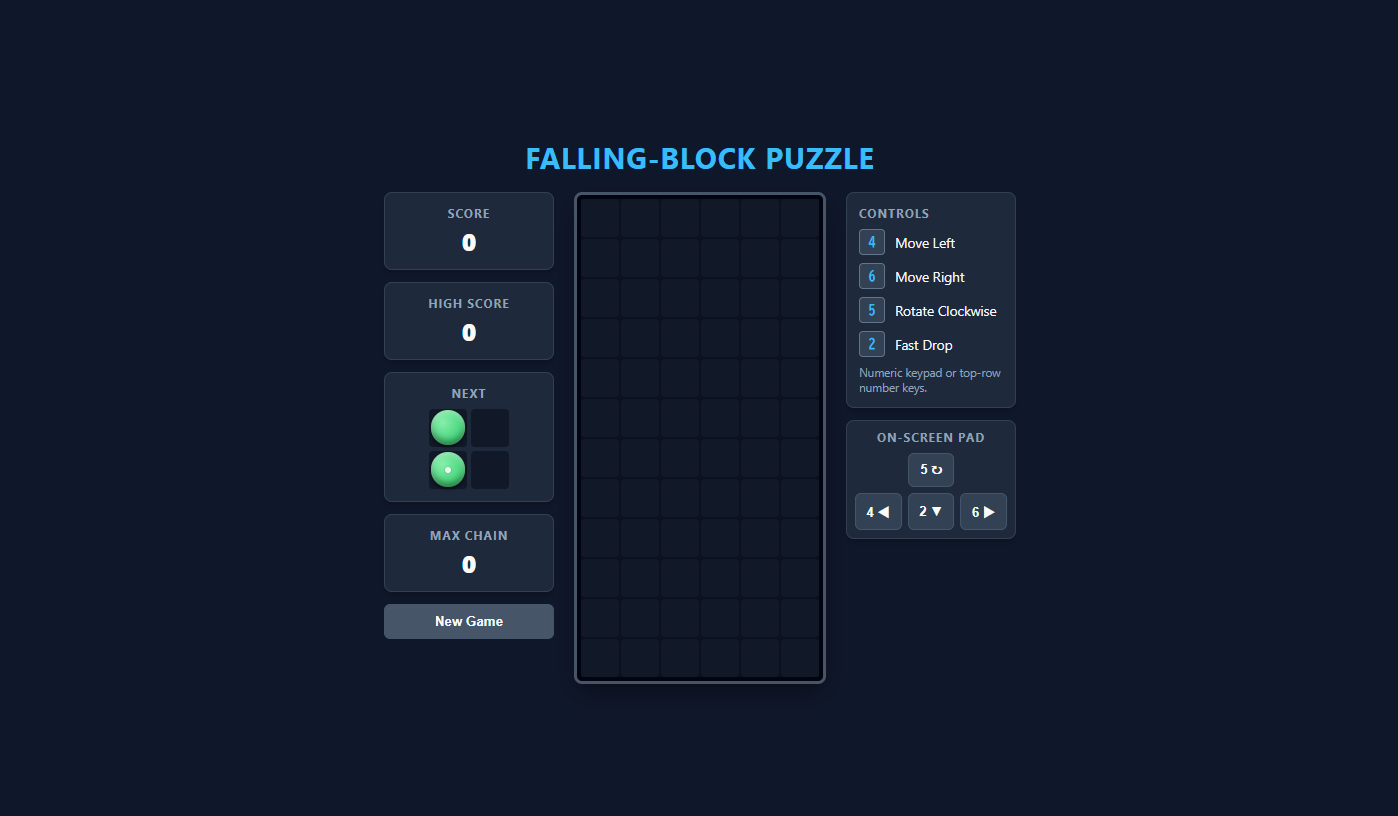
Play this game in your browser See the AI-generated spec (readme.md)
What this example shows
- Real cost: about $0.10 Gemini 3.8 Flash with BYOK (bring your own API key) — a whole game for roughly ¥14. Choose a local LLM via Ollama and the same thing is completely free and offline.
- The spec-first, two-stage prompt works Having readme.md written first is more stable than asking for code right away. The spec is a document humans can review and adjust, and the implementation request boils down to "per the spec".
- Safe by approval File writes, edits, and command execution all require approval — the AI never proceeds on its own.
- No jargon required "Create a readme.md summarizing the spec" and "implement per the spec" — the IDE interprets the internal file-creation commands (WRITE_FILE and friends), so plain English is all you need.
* The UI in the screenshots uses the "Coquette" theme. See the other themes in the theme gallery.
Try it yourself
Teaspoon IDE is free to download. All you need is a Gemini API key (free tier available) or a local LLM via Ollama.